Resource Planning Software
Your whole team on one timeline
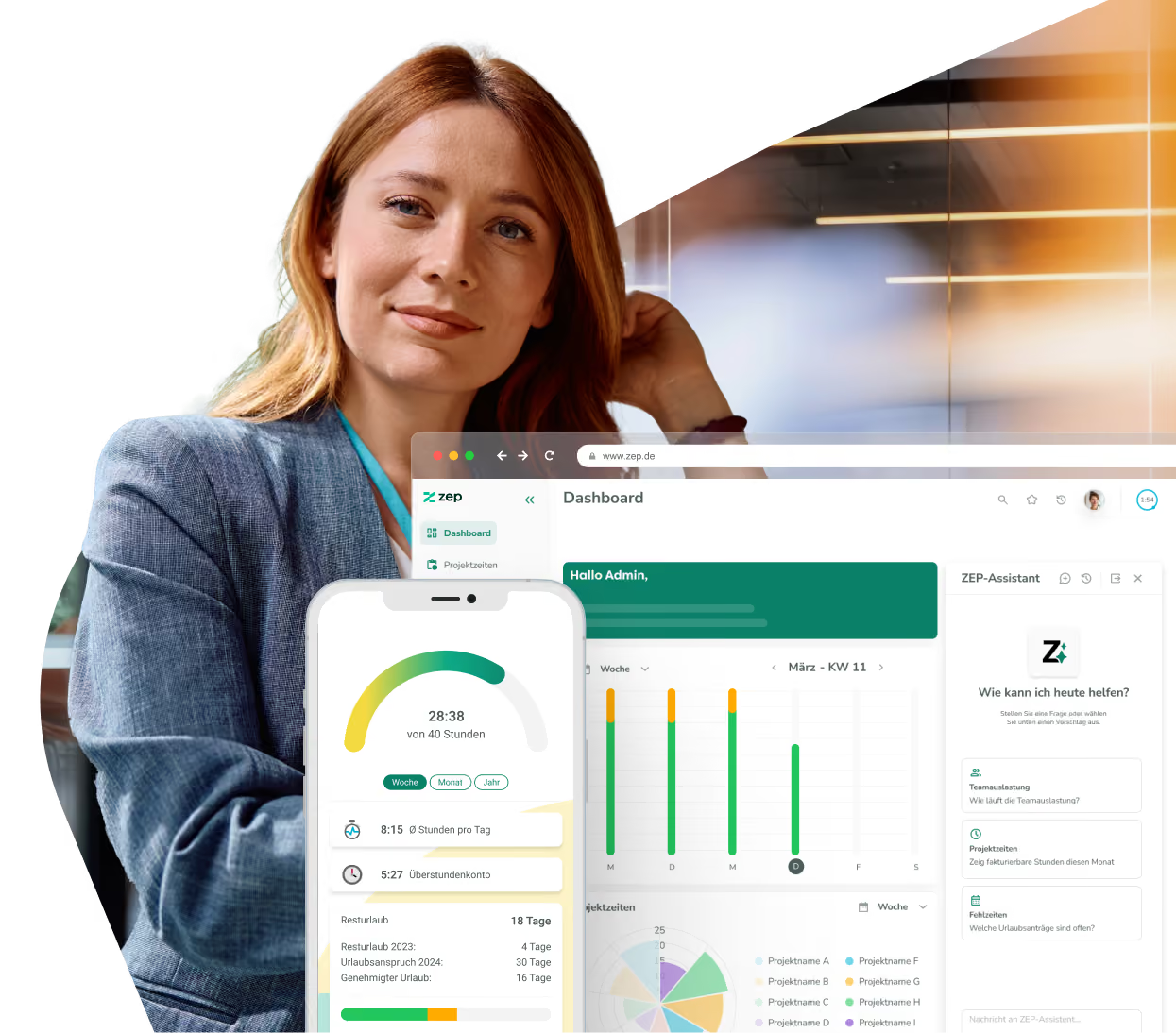
All employees and all projects in one view. You see at a glance who still has capacity and who is overbooked, calculated from regular working hours, public holidays and absences.


More than 3,000 companies rely on ZEP



Plan capacity before it runs short
Who still has time next month? Resource planning shows it at a glance, based on the same data as the booked hours.
Your whole team and all projects on one timeline
The employee view lists everyone one below the other, each row with its utilization and expandable down to individual projects. The project view shows the same from the perspective of your engagements, with planned, allocated and open hours. Filters such as “Only employees with capacity” or “Only projects with open planned hours” take you straight to the answer.

Capacity accounts for vacation and public holidays
Regular working hours, public holidays and approved absences flow into capacity automatically. What a person can really take on is shown in their row, and anything planned above 100% is marked red. Requested absences appear dashed, so they are visible before they count.

Plan by dragging instead of filling in forms
Drag an allocation open directly in the row, then move or extend it. Changes are saved automatically and utilization updates instantly. The form lets you plan several employees or projects at once, per day or as a total for the period. Or simply write it: in the ZEP Assistant, the AI chat in ZEP, a sentence like “Plan Anna at 50% on the website relaunch for two weeks” is enough.

Plan and reality in one report
The planned vs. actual comparison shows plan, actual, variance and capacity side by side, and planned capacity utilization shows the situation per employee and department. Both come from the same data your team already books. This makes the quality of your planning measurable. With price groups stored, the allocations themselves also show planned revenue per project and person.


Discover the possibilities of ZEP

Get more from your resource planning software
Selling projects means selling your team’s time. Beyond the big overviews, these five features make the difference day to day:
Query your planning by chat, even in Claude or ChatGPT
The ZEP Assistant answers questions like “Who in my department still has capacity in November?” directly in ZEP. With ZEP MCP, you ask the same question in Claude or ChatGPT and get utilization as a table, with your permissions in ZEP.
Everyone sees their own planning
Under “My planning”, everyone sees which projects they are planned on for the coming weeks and what their own utilization looks like. That saves follow-up questions and gives the team planning certainty.
Whoever is replanned gets notified
When an allocation changes, the person affected can receive a bundled notification. Planning stays binding without anyone having to chase people by phone.
Assign employees to the project directly
If someone is missing from a project, assign them straight from planning, with assignment period, price group and a first allocation. No detour via project administration.
Every role sees what it is allowed to see
Separate permissions for employee, project and personal planning define who sees whom. ZEP removes data a role may not see on the server, and reasons for absence stay protected.
More than 3,000 companies already rely on ZEP
The time tracking of choice — from startups to large corporations.



“Ideal employee management support thanks to a 360 degree view of employee availability, daily reports and automated vacation and absence management.”


“Comprehensive solution for recording project and working times. In particular, compliance with legal regulations (minimum rest time, break times, maximum working hours, etc.) can be tracked very well. “

“We have been using ZEP for over 10 years to record working hours (billable, non-billable). This is a great basis for invoicing our customers.”

“ZEP impresses with its intuitive time and project management and offers excellent customer support!”

“Quick project bookings and evaluations. Yet a high degree of flexibility. Good modular design. You can easily adapt the system to your own needs.”

“We use ZEP for precise time recording, vacation management and absenteeism. With ZEP, our employees can also record their working hours while working from home, which enabled us to replace several previously used tools.”

“Ideal employee management support thanks to a 360 degree view of employee availability, daily reports and automated vacation and absence management.”
“Comprehensive solution for recording project and working times. In particular, compliance with legal regulations (minimum rest time, break times, maximum working hours, etc.) can be tracked very well. “
“We have been using ZEP for over 10 years to record working hours (billable, non-billable). This is a great basis for invoicing our customers.”
“ZEP impresses with its intuitive time and project management and offers excellent customer support!”
“Quick project bookings and evaluations. Yet a high degree of flexibility. Good modular design. You can easily adapt the system to your own needs.”
“We use ZEP for precise time recording, vacation management and absenteeism. With ZEP, our employees can also record their working hours while working from home, which enabled us to replace several previously used tools.”
ZEP is Funktionen
Bookable modules


Frequently asked questions about resource planning
Frequently asked questions and answers.
What is resource planning in ZEP?
Resource planning is the module in ZEP that professional services firms use to plan who works on what over the coming weeks. All employees or all projects are listed on one timeline, with utilization, free capacity and overbooking. Planning runs on the same data as the booked hours.
How much does resource planning cost and which product lines include it?
Resource planning costs €5 per user per month and can be added to ZEP Track, ZEP Control and ZEP Operations. It is included in ZEP Business at no extra cost. It is not available in ZEP Clock because it requires project data. The annual discount applies only to the product line; the add-on price is the same on monthly and annual contracts. ZEP activates the module for your account.
How does ZEP calculate a person’s capacity?
The starting point is regular working time: 100% equals the person’s regular working hours on that day. Public holidays, including half days, approved absences and days outside the employment period reduce capacity. Requested absences are shown dashed and only count once they are approved.
Can I plan several employees or projects at once?
Yes. In the form, you choose a period and several employees or several projects and enter a value per day or a total for the period, optionally split across the employees. If a new allocation meets an existing one, you choose between adding and replacing.
Can everyone on the team see their colleagues’ utilization?
No, permissions control that. There are separate permissions for employee, project and personal planning, and department heads see their department. ZEP removes data a role may not see on the server. Only users with the right permission see the reason for an absence. Everyone sees their own planning under “My planning”.
Can I compare planning with the hours actually booked?
Yes. The planned vs. actual comparison shows plan, actual, variance and capacity side by side. Planned capacity utilization shows the situation per employee and department. Both reports come from the same data your team already books.
Do I plan at project or task level?
Resource planning works at project level: one person, one project, one period, one value per day. Tasks and to-dos are organized with task management, which is included from ZEP Control upward.
I use the previous resource planning. How do I switch to the new one?
The switch is handled by our support team, and the price stays the same. The two planning versions never run in parallel in one account. Get in touch and we will guide you through the change.
Try ZEP free for 14 days - full access to all features
ZEP is powerful, easy to use and can adapt to your needs. See for yourself!