Project Planning Software
Central Management of Fixed & dynamic planning hours
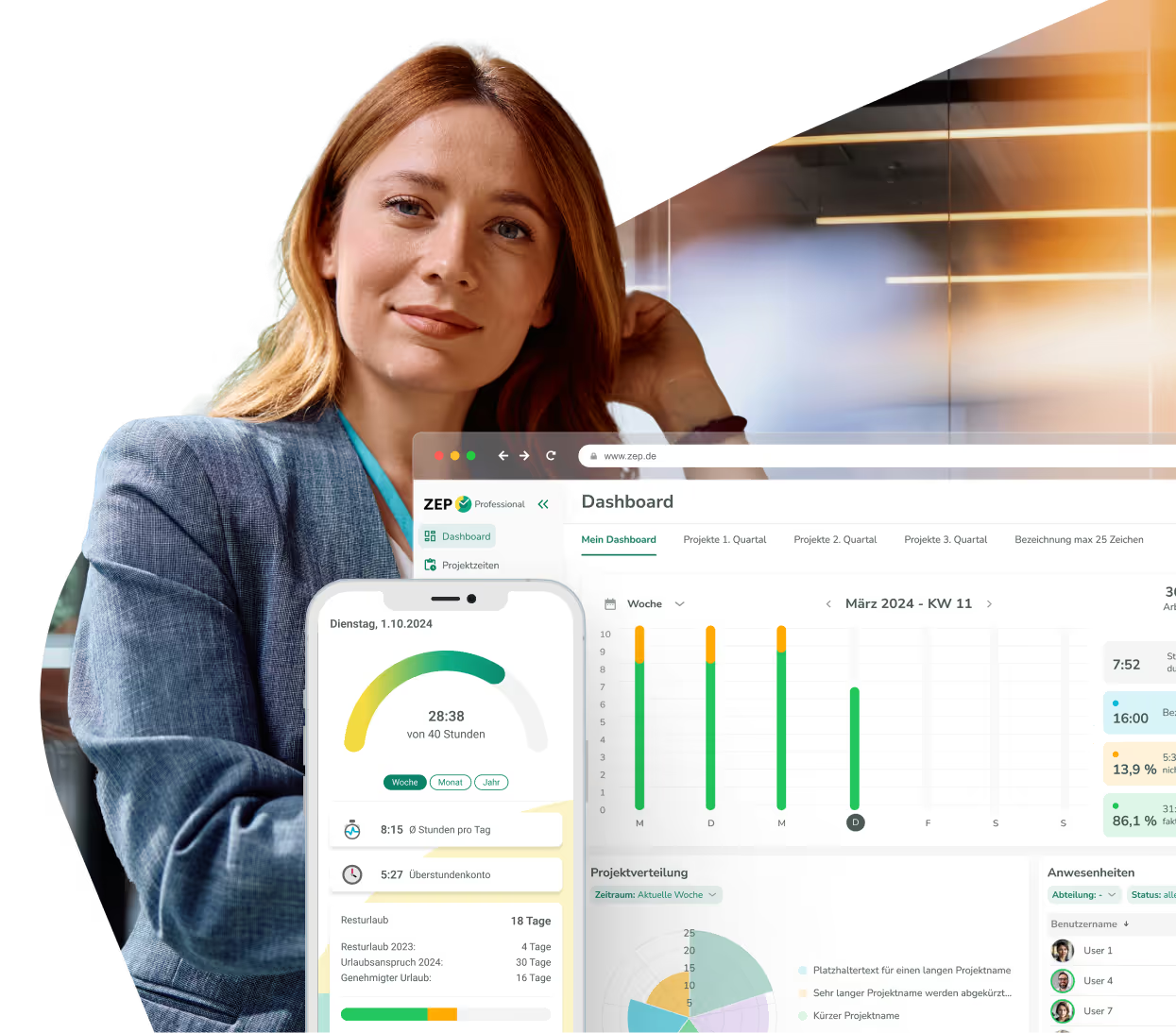
Increase your flexibility and control in project planning with central administration, automatic target/actual comparisons, and overbooking protection.


More than 3,000 companies rely on ZEP



Flexible planning time optimization with ZEP
With ZEP, you get full control and transparency through centralized administration and dynamic adjustments.
Plan budgets for projects and employees
Define plan budgets for individual projects and distribute them flexibly among employees and teams with intelligent templates for recurring project types. Use stored project data and flexible planning types (fixed planning hours, dynamic adjustments, milestone planning) to create individual project plans quickly and in a standardized way. Automatic resource allocation ensures optimal utilization without overbookings.

Hourly reconciliation at a glance
Automatically compare planned and actual hours worked in real time with intelligent calculations that take historical project data into account, for example. You can compare different planning scenarios while keeping track of project progress at all times and ensuring that your projects stay within time and budget. The project planning tool makes it possible to identify deviations immediately and react flexibly.

Dynamic time adjustment for projects
Manage your projects as needed with flexible or fixed schedule hours that can be adapted to project changes. With the option to adjust hours bottom-up or top-down, you can optimize project planning and keep an eye on your goals. Bottom-up means that you plan individual work packages in detail and calculate the total budget automatically — top-down, on the other hand, starts with a fixed overall budget, which you distribute over the individual project phases.

Protection against budget overruns
Protect your project budgets with automatic overbooking protection, which prevents planned budgets from being exceeded unnoticed. ZEP continuously monitors your resource allocation and ensures that employees are not planned beyond their available capacities. Thanks to Central Project Management, you always have a complete overview of all project data, view budget levels in real time and use the software not only to plan but also to calculate seamlessly.


Discover the possibilities of ZEP

Why use a professional tool for project planning?
Project planning is complex — the successful and profitable implementation of a project needs to be well calculated and monitored. Discover how the right project planning tool can provide you with optimal support:
Precise resource planning for targeted project success
Through intelligent resource allocation and automated planning logic, you can create realistic project plans much more efficiently. Teams work more productively because you significantly reduce manual planning errors when planning projects with the right software. This also enables you to identify and minimize project risks at an early stage.
Project Planning Tool and Time Recording: A Central Solution
You can use ZEP as a comprehensive project planning tool that works with a single, integrated database. Project time recording, invoicing and much more are also carried out by ZEP. This increases efficiency for all parties involved — from project planning to final billing. All modules are linked together and work on the same data basis.
Target/actual comparisons for better control
Project planning with the appropriate tool helps you quickly identify deviations and initiate countermeasures. With the currently available target/actual comparison, you can proactively react to planning deviations and sustainably optimize your project success rate.
More transparency, fewer budget overruns
When you plan projects with the right tool, you increase control and predictability. Project planning with ZEP software enables you to avoid budget overruns, make optimal use of resources and implement profitable projects reliably.
Less chaos thanks to central project data
The Central Project Database of the Project Planning Software helps you answer project-relevant questions more quickly. Access to historical planning data and resource utilization makes decision-making for new projects significantly easier.

More than 3,000 companies already rely on ZEP
The time tracking of choice — from startups to large corporations.




.avif)


“Ideal employee management support thanks to a 360 degree view of employee availability, daily reports and automated vacation and absence management.”

“Comprehensive solution for recording project and working times. In particular, compliance with legal regulations (minimum rest time, break times, maximum working hours, etc.) can be tracked very well. “

“We have been using ZEP for over 10 years to record working hours (billable, non-billable). This is a great basis for invoicing our customers.”

“ZEP impresses with its intuitive time and project management and offers excellent customer support!”

“Quick project bookings and evaluations. Yet a high degree of flexibility. Good modular design. You can easily adapt the system to your own needs.”

“We use ZEP for precise time recording, vacation management and absenteeism. With ZEP, our employees can also record their working hours while working from home, which enabled us to replace several previously used tools.”

“Ideal employee management support thanks to a 360 degree view of employee availability, daily reports and automated vacation and absence management.”
“Comprehensive solution for recording project and working times. In particular, compliance with legal regulations (minimum rest time, break times, maximum working hours, etc.) can be tracked very well. “
“We have been using ZEP for over 10 years to record working hours (billable, non-billable). This is a great basis for invoicing our customers.”
“ZEP impresses with its intuitive time and project management and offers excellent customer support!”
“Quick project bookings and evaluations. Yet a high degree of flexibility. Good modular design. You can easily adapt the system to your own needs.”
“We use ZEP for precise time recording, vacation management and absenteeism. With ZEP, our employees can also record their working hours while working from home, which enabled us to replace several previously used tools.”
ZEP is modular
Bookable modules


FAQ about software for project planning
Do you still have questions about Zep's project planning software? Here you can find the answers that concern other companies the most.
What is the difference between dynamic and fixed scheduling of hours in our projects?
When using fixed plan figures, top-down planning takes place, which allocates a fixed number of hours to processes or sub-operations. In contrast, dynamic plan figures lead to bottom-up planning, in that the sum of the planned figures determines the total expenditure for the project through processes, tickets or subtasks.
How do I use ZEP to evaluate the target/actual comparison of my time expenditure?
ZEP enables a target/actual comparison of time spent per project at the push of a button and even a cross-project comparison for an overall overview. You also benefit from detailed expense planning functions to closely monitor project progress.
What features are available to project managers for project controlling?
In ZEP, project managers can specify the planned expenditure in hours for projects and tasks. Overbooking stops for billable hours, display of planned expenditure in the project plan, and notifications when a certain quota is reached are just a few of the features that make an effective Project controlling enable.
How does my team keep track of the plan figures in the project plan?
ZEP offers a variety of options for displaying plan figures to ensure that your entire team keeps an eye on the project plan. This ensures transparent and efficient cooperation when implementing your projects.
How much does ZEP cost as a project planning tool and are there any hidden costs?
ZEP works with transparent monthly prices without hidden costs or set-up fees. The costs depend on the selected configuration. The project planning tool is in ZEP Professional included. You can test ZEP free of charge for 30 days and cancel it monthly — so there are no incalculable risks.
Can we import our existing Excel project data into ZEP?
Yes, ZEP provides import functions for existing project data from Excel and other systems. This allows you to seamlessly switch from Excel spreadsheets to professional project planning software.
Why do projects fail despite planning and how does ZEP help?
The most common reasons for project failure are unclear goals, lack of transparency, and poor communication. ZEP helps to successfully complete projects through centralized data management, automatic target/actual comparisons and transparent project overviews. Everyone involved has access to current project data at all times — this allows you to avoid one of the typical pitfalls of project planning, for example.
How do I prevent budget overruns for my projects?
ZEP offers automatic overbooking protection and continuous budget monitoring. You can see when critical budget limits are reached and carry out target/actual comparisons in real time. By integrating time recording and cost controlling, you can keep an eye on your project budgets at all times.
Is ZEP suitable for agile project methods such as Scrum or Kanban?
Yes, ZEP supports both classic and agile project planning as a tool. You can define flexible planning cycles and iteratively adapt your projects. The dynamic planning logic makes it possible to react quickly to changes — ideal for agile teams that still need a professional project overview.
How can I professionally plan my projects with individual planning hours?
ZEP allows you to define hours and services in advance for tailor-made project planning. You can choose between fixed or dynamic plan figures to manage your projects either bottom-up or top-down as required.
How long does it take to implement ZEP in our company?
The Introduction of ZEP is deliberately kept simple: Most companies are productive within a very short period of time. ZEP is cloud-based, requires no installation and offers intuitive user guidance. Our experts will help you with the setup — so you can quickly start professional project planning.
Try ZEP free for 14 days - full access to all features
ZEP is powerful, easy to use and can adapt to your needs. See for yourself!