Work Items
Work items where the engagement lives
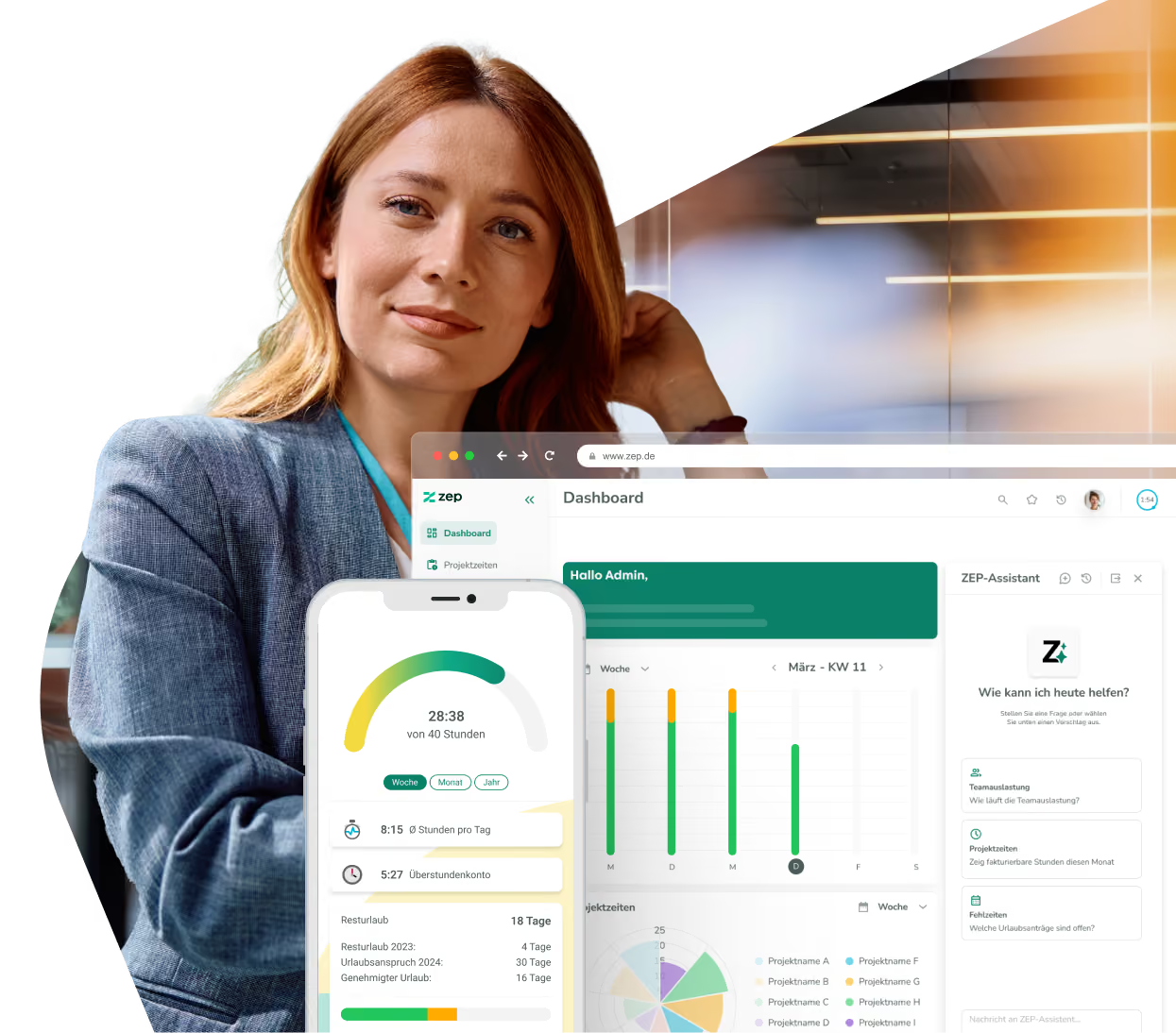
Personal to-dos and project work items sit in ZEP next to client, task and team. Assignee, status and due date belong to every work item, and the board and the list show the same state. No second system to find out what comes next.


More than 3,000 companies rely on ZEP



Work items on the project, not in five lists
To-dos are buried in emails, notebooks and a board nobody links to the engagement. Work Items bring them into ZEP, onto the project your team already books on. The board organizes the work. What the engagement earns, ZEP shows from the booked hours.
Your own to-dos and project work items, separate yet in one place
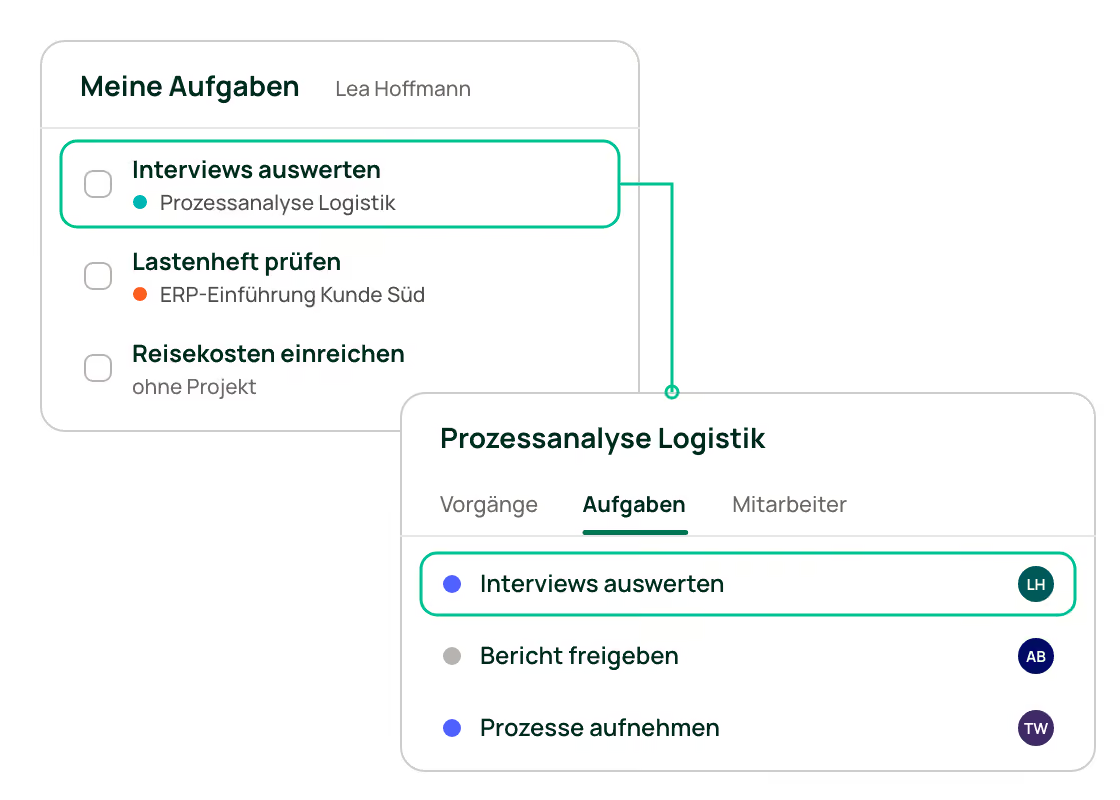
Under “My Work Items”, everyone sees everything assigned to them across all engagements, including personal to-dos with no engagement attached. In the project, the “Work items” tab shows every work item of that engagement. It is the same work item in two views: what the project manager changes there shows up immediately in the assignee's list.
The board for daily work, the list for the overview
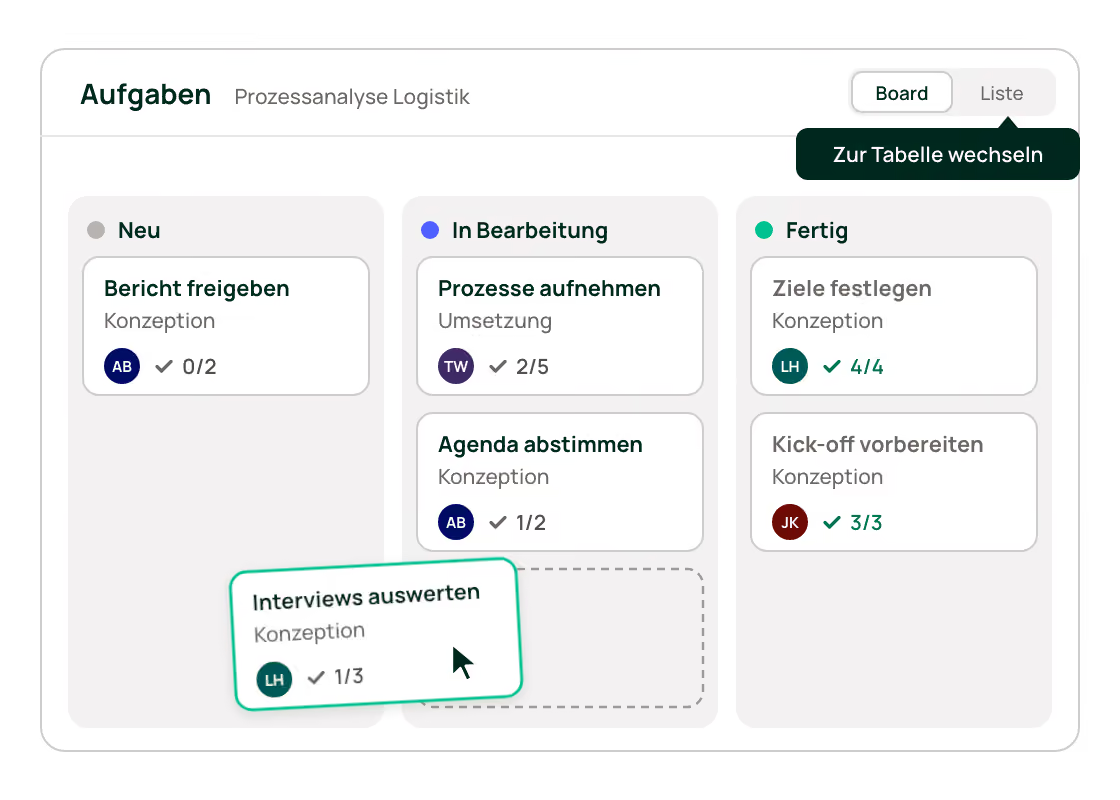
The Kanban board shows each status as a column. Drag a work item into the next column and its status changes without opening a form. The list shows the same work items as a table: change status, priority and assignee right in the row, edit several work items at once and sort by any column.
Hand out work items with a due date and checklist
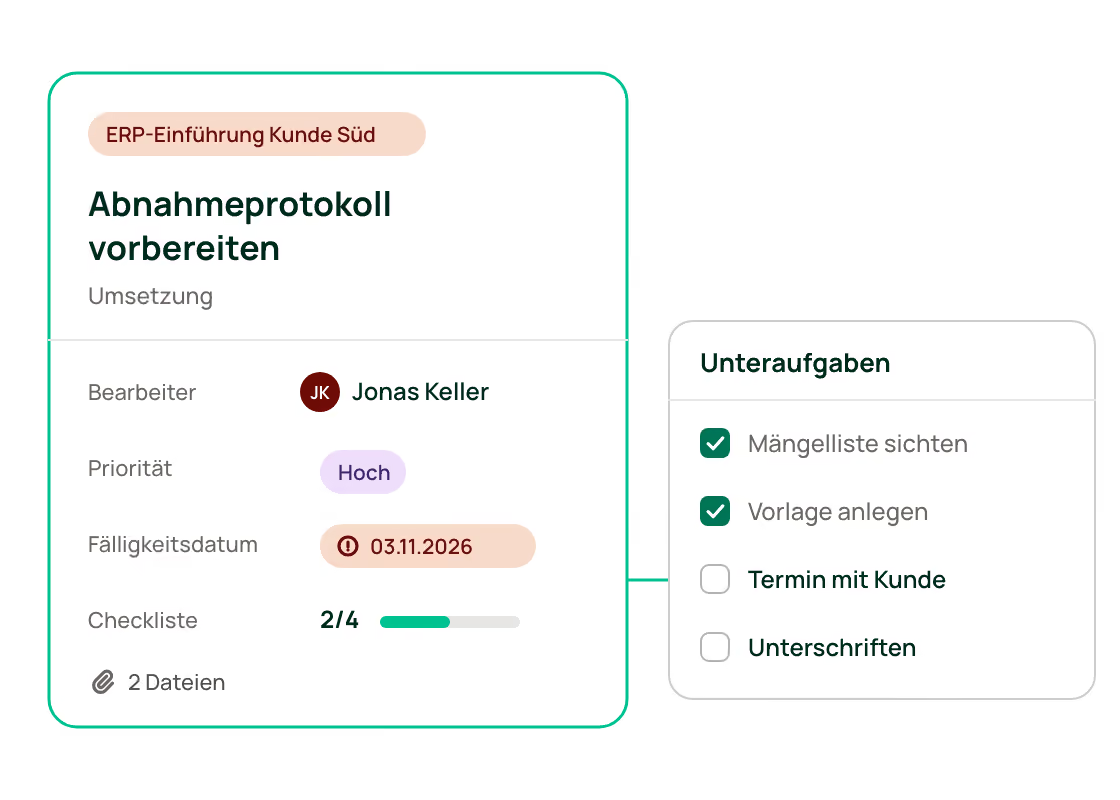
Assign every work item to a person, set a due date and break larger work items down into subtasks. The card shows how many of them are done and highlights overdue dates. Files are attached right to the work item. Whoever hands a work item to someone else links it to a project, so it stays clear what it is for.
Define statuses and priorities once, use them everywhere
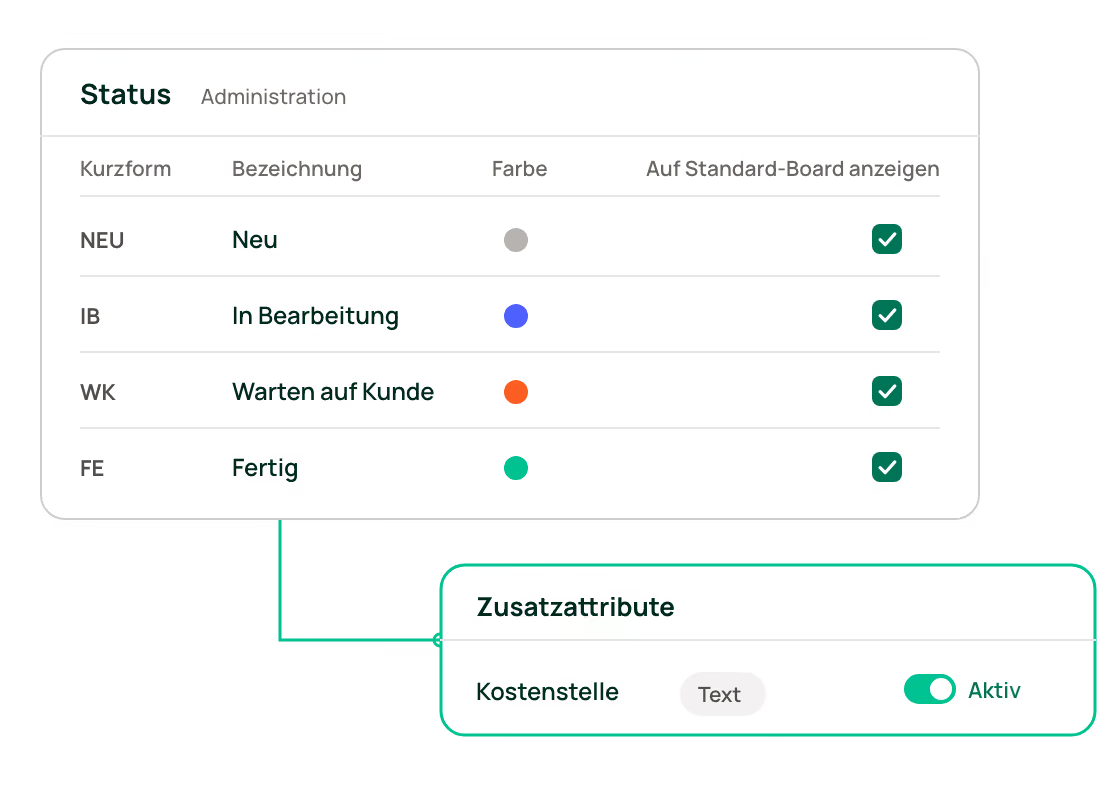
Statuses with their own color, priorities and their order are set centrally in the administration. They apply the same way in every project, so every team reads the board the same way. Add your own fields such as cost center or external ticket number as custom attributes, and they are available as a column and a filter.


Discover the possibilities of ZEP

Get more from Work Items
Beyond board, list and ownership, these five features make the difference day to day:
Create and look up work items by chat
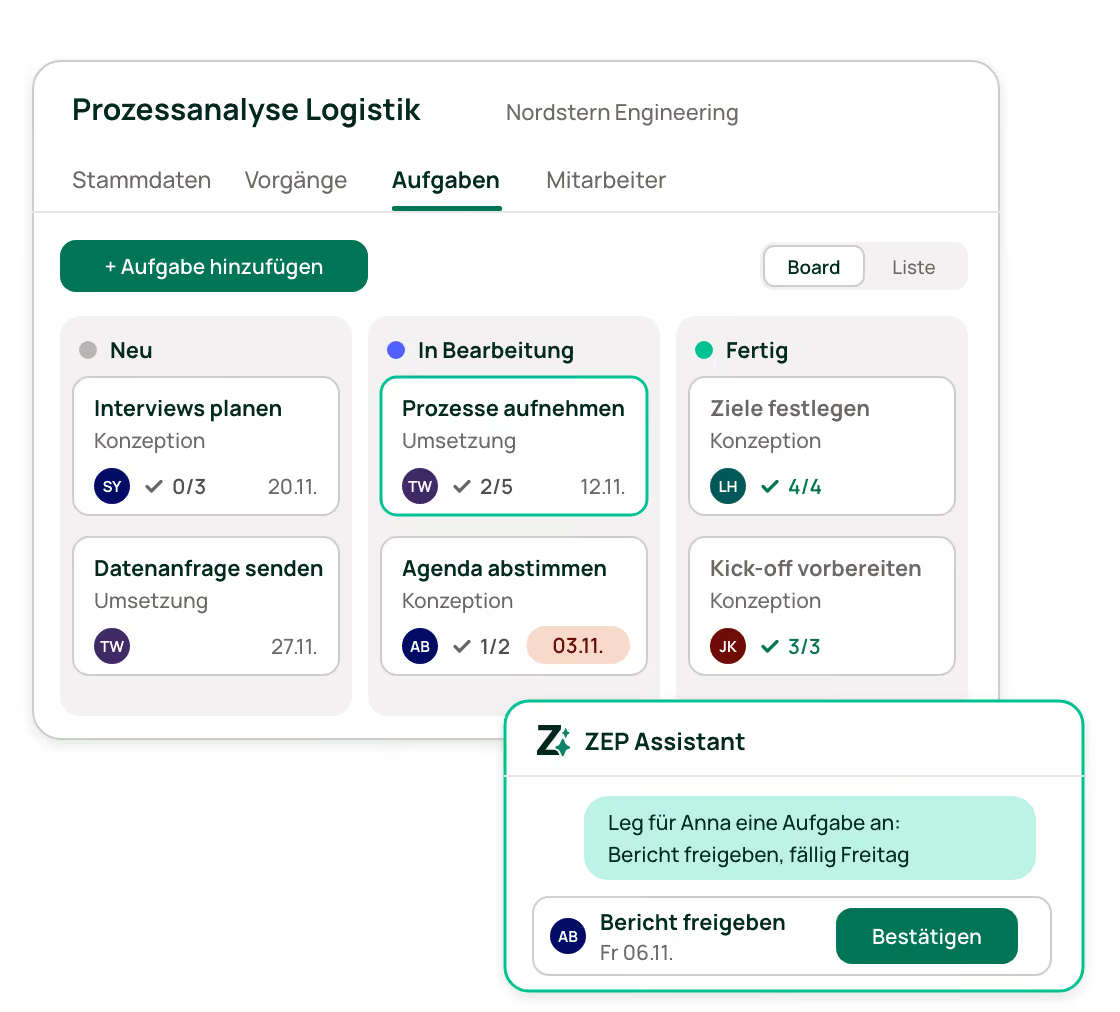
In the ZEP Assistant, the AI chat in ZEP, one sentence is enough: “Create a work item for Anna in the Logistics Process Analysis project, due Friday.” Before saving, it shows what it is about to create and waits for your confirmation. It answers questions like “Which work items in this project are still open?” within your permissions.
You decide who sees which work items
Employees see their own work items and those assigned to them, project managers see all work items of their engagements. If a team should work on one shared list, a single setting opens all project work items to the whole team.
New work items in seconds, not forms
Create a work item right in the matching board column. ZEP carries over project and task from your last work item, and with “Add another work item” you create several in a row. Copy similar work items and change only what differs.
Save your own view once
Filter by status, priority, project, task, assignee, due date or custom attribute. Save the combination as a favorite, separately for board and list, for example “my high-priority work items due this week”.
Work items belong to project and task
Link a work item to the task it belongs to. The list then follows the structure your team already knows from booking hours, and you can filter it by task.
More than 3,000 companies already rely on ZEP
The system for project service providers - from startups to large corporations.



“Ideal employee management support thanks to a 360 degree view of employee availability, daily reports and automated vacation and absence management.”


“Comprehensive solution for recording project and working times. In particular, compliance with legal regulations (minimum rest time, break times, maximum working hours, etc.) can be tracked very well. “

“We have been using ZEP for over 10 years to record working hours (billable, non-billable). This is a great basis for invoicing our customers.”

“ZEP impresses with its intuitive time and project management and offers excellent customer support!”

“Quick project bookings and evaluations. Yet a high degree of flexibility. Good modular design. You can easily adapt the system to your own needs.”

“We use ZEP for precise time recording, vacation management and absenteeism. With ZEP, our employees can also record their working hours while working from home, which enabled us to replace several previously used tools.”

“Ideal employee management support thanks to a 360 degree view of employee availability, daily reports and automated vacation and absence management.”
“Comprehensive solution for recording project and working times. In particular, compliance with legal regulations (minimum rest time, break times, maximum working hours, etc.) can be tracked very well. “
“We have been using ZEP for over 10 years to record working hours (billable, non-billable). This is a great basis for invoicing our customers.”
“ZEP impresses with its intuitive time and project management and offers excellent customer support!”
“Quick project bookings and evaluations. Yet a high degree of flexibility. Good modular design. You can easily adapt the system to your own needs.”
“We use ZEP for precise time recording, vacation management and absenteeism. With ZEP, our employees can also record their working hours while working from home, which enabled us to replace several previously used tools.”
ZEP is Funktionen
Bookable modules


Frequently asked questions about Work Items
Frequently asked questions and answers.
What are Work Items in ZEP?
Work Items manage personal to-dos and project work items in ZEP. Every work item has an assignee, status, priority, due date, subtasks and files. Under “My Work Items”, everyone sees their own work items; in the project, all work items of that engagement are listed, as a Kanban board or as a list.
Which product lines include Work Items?
Work Items are included at no extra cost in ZEP Control, ZEP Operations and ZEP Business. They are not booked separately. ZEP Control costs €19 per user per month on an annual contract, €25 on a monthly contract. ZEP Track and ZEP Clock do not include Work Items. You can move from ZEP Track to ZEP Control at any time, and your data is kept.
What is the difference between work items and tickets?
Work items are to-dos without a formal workflow: who does what by when. Tickets cover requests, for example from clients, with a workflow, notifications, a mailbox and optional customer access. Your team also books hours on tickets. Work Items are included from ZEP Control upward; the Ticketing System is an add-on at €4 per user per month.
Can I book hours on work items?
No. Your team books hours on project and task; a work item carries no planned or actual hours. If hours should go to individual requests or subtasks, the Ticketing System is the right fit.
Who sees which work items?
Employees see their own work items, those assigned to them and those of the projects they have access to. Project managers see all work items of their projects, administration and controlling see all of them company-wide. A setting decides whether all project members see every work item of a project. It is turned off by default.
Can I create work items without a project?
Yes. Under “My Work Items” you keep a personal to-do list, with or without a project. As soon as you assign a work item to someone else, you link it to a project.
Can the ZEP Assistant create work items?
Yes. The ZEP Assistant, the AI chat in ZEP, creates work items and answers questions about them, for example which work items in a project are still open. Before every change it shows what it is about to do and only saves after your confirmation. It always works with your permissions in ZEP.
Do Work Items replace a board like Trello or Jira?
For the work around client engagements you do not need a second board; the work items sit where project and team already are in ZEP. Teams that run software development in Jira keep Jira. ZEP shows what the engagement earns.
Try ZEP free for 14 days - full access to all features
ZEP is powerful, easy to use and can adapt to your needs. See for yourself!