ZEP Pulse
ZEP Pulse desktop app for automatic time tracking
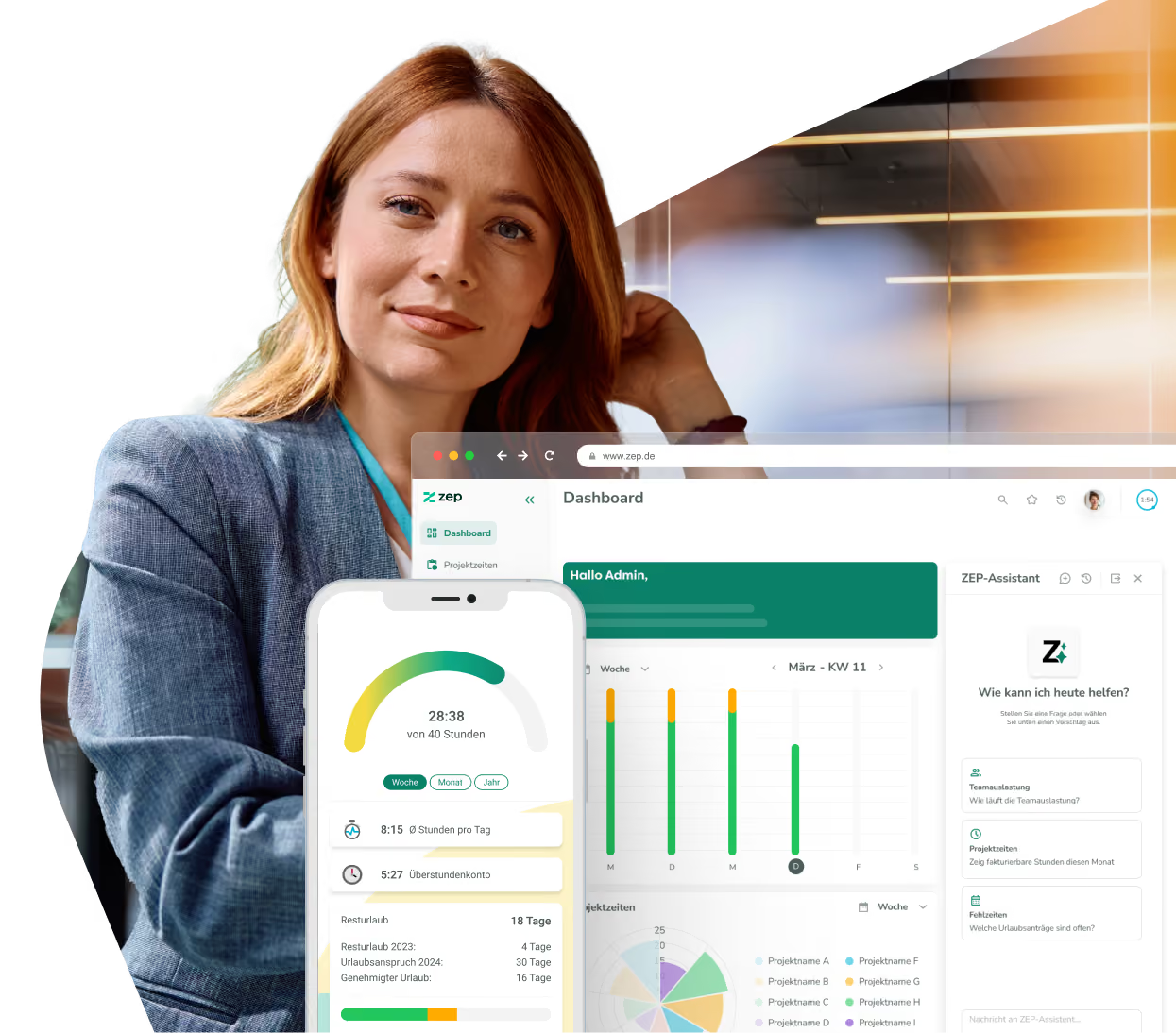
ZEP Pulse works in the background to recognize what you have been working on and suggests your project hours. Test the app in your daily routine and let us know what works and what doesn't.

Log multiple suggestions at once
Suggestions visible only to you
Pause, set working hours, and exclude programs
Current version

More than 3,000 companies rely on ZEP



An overview of other AI features in ZEP
ZEP is evolving into an AI-native platform for project service providers.
ZEP Assistant
Tell ZEP what you need. The Assistant handles the rest.
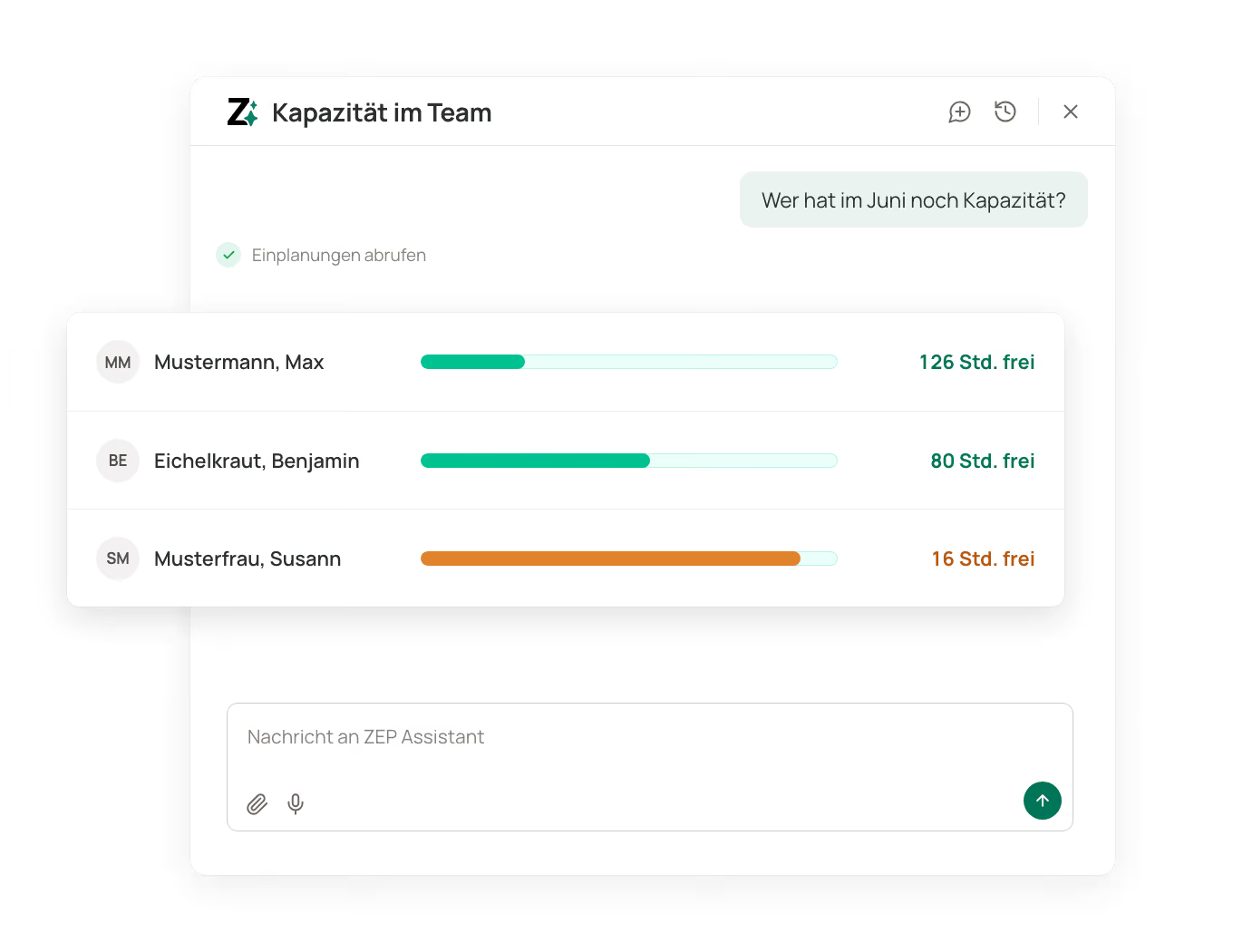
The ZEP Assistant understands context, roles, and permissions. It answers questions, creates data, and extracts information from documents directly into the right place in ZEP.
Create master data via command
Create, update, and comment on tickets
Extract data from documents
ZEP MCP
ZEP in the AI your team is already using
ZEP MCP connects ZEP with the AI application your team is already using. Use it to log project hours, retrieve reports, and instantly turn figures into a document or spreadsheet. Every change appears as a preview first.
Log project hours without switching windows
Prepare ZEP data as a PDF, spreadsheet, or presentation
Choose your AI provider freely via an open standard

Experience ZEP Pulse in our webinar
ZEP MCP & ZEP Pulse
Book hours completely with ZEP Pulse and use ZEP via Claude or ChatGPT
We show how ZEP Pulse makes sure your project figures are complete and how you query them with ZEP MCP in Claude or ChatGPT, for quotes based on the effort actually incurred and mid-month budget checks. Time for your questions follows.

with Christian Bopp


FAQ about AI in ZEP
Frequently asked questions about ZEP
What AI features does ZEP offer?
ZEP offers three AI features: the ZEP Assistant, ZEP Pulse and ZEP MCP. The ZEP Assistant, the AI chat in ZEP, answers questions about your project data by text or voice, creates master data and handles tickets. ZEP Pulse uses a desktop app to record which approved applications you work in and turns that into suggestions for your project hours. ZEP MCP connects ZEP to the AI application your team already uses. In support, there is also the Help Center AI.
What can the ZEP Assistant do?
The ZEP Assistant answers questions about your project data and carries out actions directly in ZEP. It creates master data such as clients, projects and employees, creates and edits tickets, and extracts information from documents, for example to create a project from a contract. When creating employees, it suggests suitable values such as price group, permissions and department. What it can see and do depends on your product line and your permissions in ZEP.
What is ZEP MCP?
ZEP MCP is the interface through which an AI application accesses ZEP. MCP stands for Model Context Protocol, an open standard that lets AI applications work with business systems. ZEP provides its own MCP server for this. In the AI application of your choice, you can book project hours, retrieve reports and maintain projects, clients, tickets and receipts.
How does ZEP Pulse work?
ZEP Pulse consists of a desktop app for macOS and Windows and the Pulse panel in ZEP. The app runs in the background and records which approved applications you work in. In the Pulse panel, ZEP compares this with your own previous bookings and suggests project hours with project and task. You accept, adjust or discard the suggestions. Only what you confirm is booked, individually or in bulk. No starting and stopping is needed. You can pause ZEP Pulse at any time and limit it to your working hours, and individual applications can be excluded.
What happens to my data, and is it GDPR compliant?
The ZEP Assistant and ZEP Pulse are GDPR compliant. ZEP is developed and hosted in Germany and is ISO 27001 certified. All AI features follow your permissions in ZEP: the AI only sees what you are allowed to see yourself. Answers from the ZEP Assistant and suggestions from ZEP Pulse are generated by an AI model in a data center in Frankfurt, and your data is not used to train public AI models. ZEP Pulse analyzes screenshots locally on your computer and does not store them, and only you see the suggestions. With ZEP MCP, the requested data goes to the AI application you have chosen yourself, and its terms apply there. Every change first appears as a preview.
Which ZEP product lines include the AI features?
The ZEP Assistant and ZEP Pulse are included in ZEP Track, ZEP Control, ZEP Operations and ZEP Business. Neither is included in ZEP Clock, which offers the Help Center AI instead. Like all interfaces, ZEP MCP is included in every product line. None of the three features costs extra; they are activated as needed.
How do the ZEP Assistant, ZEP Pulse and ZEP MCP support project controlling?
In three ways. With the ZEP Assistant, you query KPIs such as booked hours, budget status and available capacity directly instead of compiling reports manually. ZEP Pulse makes project hours more accurate and the data basis more reliable. Via ZEP MCP, your AI application retrieves the same figures from ZEP and turns them into a status report, a spreadsheet or a presentation. Target/actual comparisons, budgets, project planning, and revenue and costs are included from ZEP Control onward; the three features speed up access to them.
Does ZEP offer Professional Services Automation with AI?
Yes. ZEP Operations is the product line for Professional Services Automation. The ZEP Assistant, ZEP Pulse and ZEP MCP are included there. The Assistant answers questions and creates master data, ZEP Pulse suggests project hours from your working day, and ZEP MCP connects ZEP to your team's AI application. You decide on every booking and every change.
Try ZEP free for 14 days - full access to all features
ZEP is powerful, easy to use and can adapt to your needs. See for yourself!


GDPR-compliant
Hosting and development in Germany
Try it out for 14 days risk-free